When an application disappears from your Reader bins in Slate, you can still access the applicant’s record through two navigation methods. These options allow you to locate the applicant’s Person Record, review their applications, and confirm decision status updates from your program or from Graduate Admissions. This guide outlines both methods and provides step-by-step instructions.
Method 1: Search for the Applicant Using the Global Search
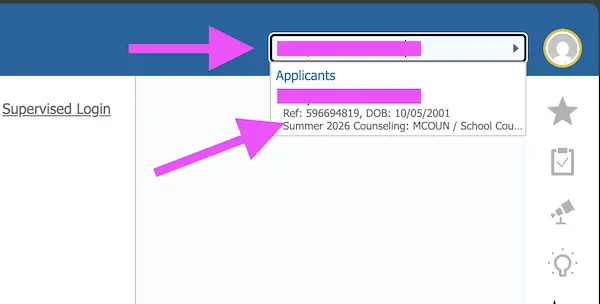
- In Slate, locate the main search box at the top of the screen (outside the Reader interface).
- Begin typing the applicant’s first or last name.
- When their name appears in the list of results, select the applicant’s name.
- You will be taken to their Person Record.
- At the top of the Person Record, use the application tabs to view each application the applicant has started or submitted.
Image
Image

Method 2: Use the “Decision Release History” Query
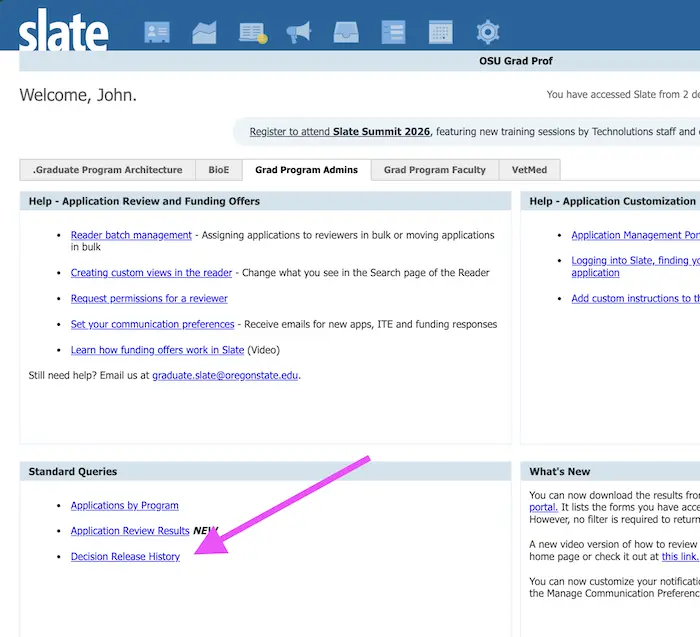
- From the Slate Home page, select Decision Release History.
- On the query page, in the first filter, choose your major/program from the dropdown list.
- Select Run Query.
- Review the results table, which lists all applicants for whom your program has entered a decision.
- "Program recommends admit" is the code for when your program indicated they want to admit the student in the Final Selection bin.
- The table will indicate when Graduate Admissions has entered a final decision (decision = "Admit").
- It also shows whether the applicant has responded to the Intent to Enroll (ITE) question.
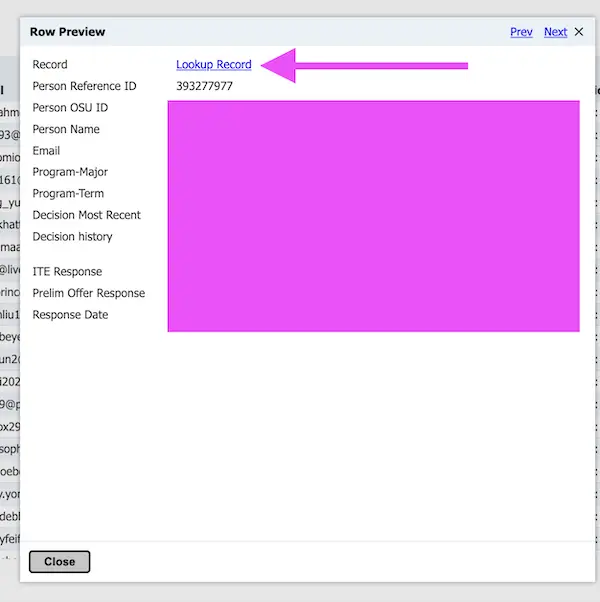
- Click any row in the results table to open additional details.
- Select Look up Record to navigate directly to the applicant’s Person Record.
Image
Image

Image